


If your struggling with your business phone system functioning properly this article about phone System troubleshooting may help. We provide phone system support and troubleshooting.
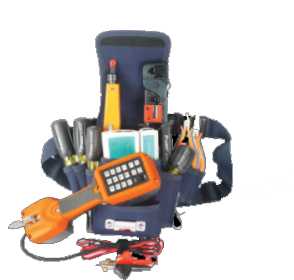
Phone System Troubleshooting
(410) 837-0144
Troubleshooting Office Phone System
When troubleshooting your office phone system understand age matters if your phone system is prior to 2009 there is a good chance that is not using flash memory to hold programming, therefore, unplugging the phone system can cause more damage. So despite many articles that say UNPLUG your phone system box DO NOT DO IT.
The first step is Dialtone
Check your phone for dial tone and if the dial tone is present when you pick up the handset to make a call. If you have a dial tone but the Phone Rings Once and disappears as it does on an Avaya Phone or If the other party can not hear your matter. Make note of these things.
Second Step Dead Display or Error Coade
If your desk Phone has a dead display screen or shows an error code like Feature Unavailable That the system is not functioning properly.
Locate the Main unit
One common thing a business owner can check is if the system is plugged into a battery backup often the battery backup fails before the phone system itself. So one way to troubleshoot your phone system is to trace the power cord of the main phone system. If that cord goes into a surge stripe and/or into battery backup that moves that power cord to a powered outlet to see if the system is restored.
One way Audio on the Phone System
If the caller can hear you or you can hear the caller but they can not hear you most of the time this is the carrier and a fault in your analog handoff. Be mindful that the carrier is looking at a screen showing a green light showing the signal to your location is active. This is likely true however when the analog handoff gets out of sync it will generate one-way audio. Most phone systems simply open a path to the call therefore if you can hear one side you should hear the other. This means the problem is happening at the Carrier Level. You can have a carrier talk you through an analog handoff reset or demand a technician be dispatched.
Phone System Troubleshooting
If you are unable to determine the issue related to your phone system we can help. We offer can provide: Toshiba Phone Troubleshooting, Avaya Troubleshooting, Lucent Troubleshooting, Panasonic Phone troubleshooting, NEC Troubleshooting, Comdial Troubleshooting, Vodavi Troubleshooting, 3COM troubleshooting, Inter-Tel Troubleshooting, Nortel Troubleshooting, Norstar Troubleshooting, as well as Nortel Networks Troubleshooting,
Atlantic Business System provides support for Phone Systems that offices rely on for their daily operations, contact us today for support.
Charlotte – Statesville – Salisbury NC
Huntersville – Concord – Thomasville – Matthews